Digital darkroom in your browser
Photograph your negatives with a camera, drop them here and walk away with a positive that already has its colour. No plugins, nothing to install and without uploading your photos to any server: everything is computed inside your browser.
0 uploads to the cloud C-41 and black & white JPEG · PNG
Developing the sample…
It is the same darkroom I use for my own archive, running inside your browser.
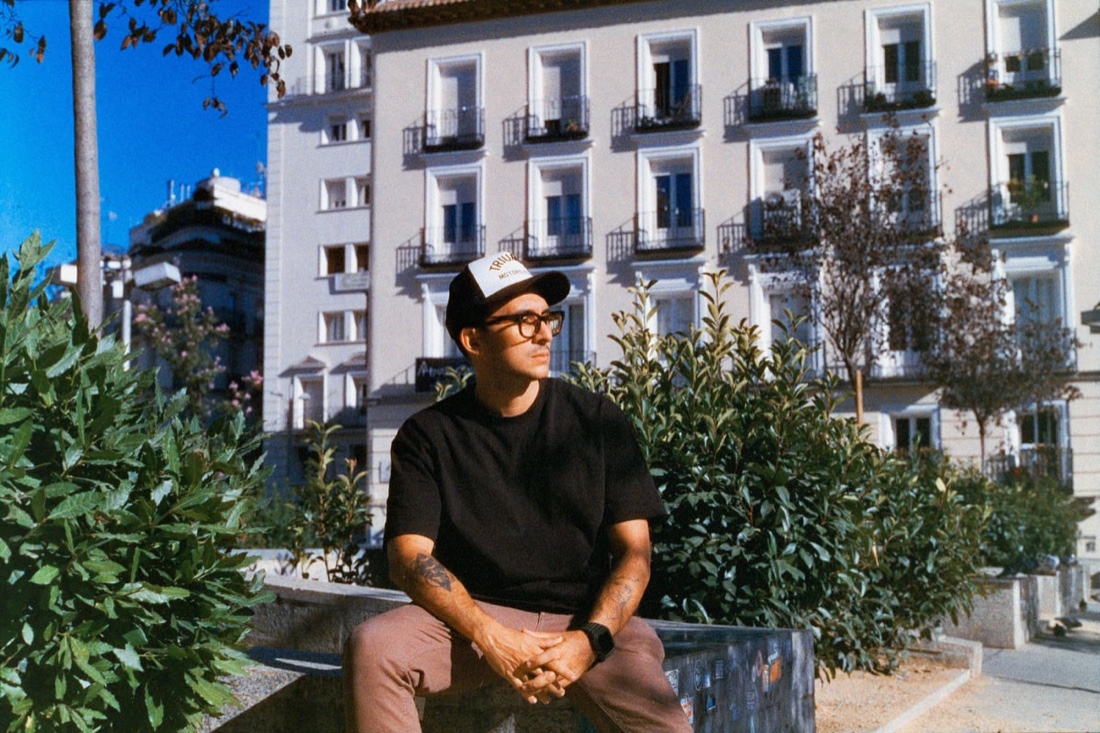
The negative over an even light, with the white balance set on the orange film base.
Drag the file in and mark the edges of the frame. You can drop the whole roll at once.
It comes out developed. If you want, adjust it with the dials or the minilab keypad, then copy it to the whole roll.
JPEG at the original size, nothing resampled. Ready for your usual editor or for printing.
This is a real 35 mm negative. Move the dials, open the minilab and compare before and after. To develop your own you need a package.
On your phone you will not be able to enjoy the developer the way we want you to, so we decided it is better on a tablet or a computer.
Open it from there and you get the whole developer, with the dials, the minilab and the before and after.
You can carry on reading here and buy from your phone without any problem: the key works in any browser.
To open it later on your computer: · email it to myself
Hit “Sample photo” and you'll see the whole darkroom working: dials, minilab, before and after. One negative of your own, free: you develop it in full on screen, with every dial. Downloading it —and developing the rest of the roll— takes a package.
Your files never leave this machine. There is no image server and no account.
One negative of your own, free: you develop it in full on screen, with every dial. Downloading it —and developing the rest of the roll— takes a package, from 3,90 €, one-off payment.
That was your free negative: in full on screen, with every dial, on your own material. Downloading it —and developing the rest of the roll— takes a package, from 3,90 €, one-off payment.
What you dropped is a RAW file (.CR2, .CR3, .NEF, .ARW, .DNG…), and the browser cannot decode it. It is not your fault, and it is not a bug.
What goes in here is JPEG and PNG. Export the negative to JPEG from your own software and drop it again: the development is exactly the same.
And if what you have is the whole roll in RAW, that is where the desktop app comes in: it reads RAW directly and uses its 14 bits, which is where the good colour of the orange base comes from.
Three, no fuss. One-off payment for the first two, no expiry and no hidden subscription. The third is for whoever has a box of rolls waiting. Negative Archive Capsule Lite is this in-browser version; the desktop app is a separate product, with its own price.
Gumroad, Inc. charges you, invoices you, applies your country’s VAT and handles refunds. I answer for the darkroom working and for your key.
Within 14 days you get a refund for the conversions you have not used; only the ones already done are excluded. If you used none, it is the full amount. On buying you expressly agree to start straight away and to lose the right of withdrawal over each conversion as you use it.
Plenty for your computer, your phone, another browser and several cleared caches. It exists so a key does not end up circulating on a forum, not to tie you to one machine: if you run out through normal use, write to me and I reset the counter at no cost. And with the monthly plan the site checks now and then that the subscription is still live — but if the server does not answer, your licence keeps working.
The negative has to be photographed properly. If the file arrives with the blue crushed, that colour is gone for good — a limit of the 8-bit JPEG, not of the engine. Try it first with the sample photo and watch the histogram.
One conversion is one negative: re-exporting the same negative as many times as you like doesn't count. Prices include VAT. Payment is handled by an external provider; no card details are stored here. Already have a key? Activate it here. Before buying, please read the terms of sale.

I tell stories with light.
Moments that feel like memories.
I’m Fran Yitani — a Venezuelan photographer and filmmaker based in Madrid. I document places, people, and memories through photography and film.
My work lives between nostalgia and presence — exploring identity, home, and the poetry of everyday life.
Alongside personal projects and short films, I collaborate with brands and people who value honest, human storytelling.
I started photographing my negatives with a camera because the scanner took forever. The problem was what came after: the colour never came out right.
I tried everything out there: inverting by hand, paid plug-ins, presets.
I have spent a while building a program made for film, and for keeping my whole archive in one place. Over the years I learnt a lot, and I kept applying it to what I felt was missing in other programs.
That is where Negative Archive Capsule came from: the app I use every day for my own archive. The conversion engine is available now in its web version, and the desktop one is coming soon. Join the list if you want to hear about it when it lands.
The desktop app · coming soon
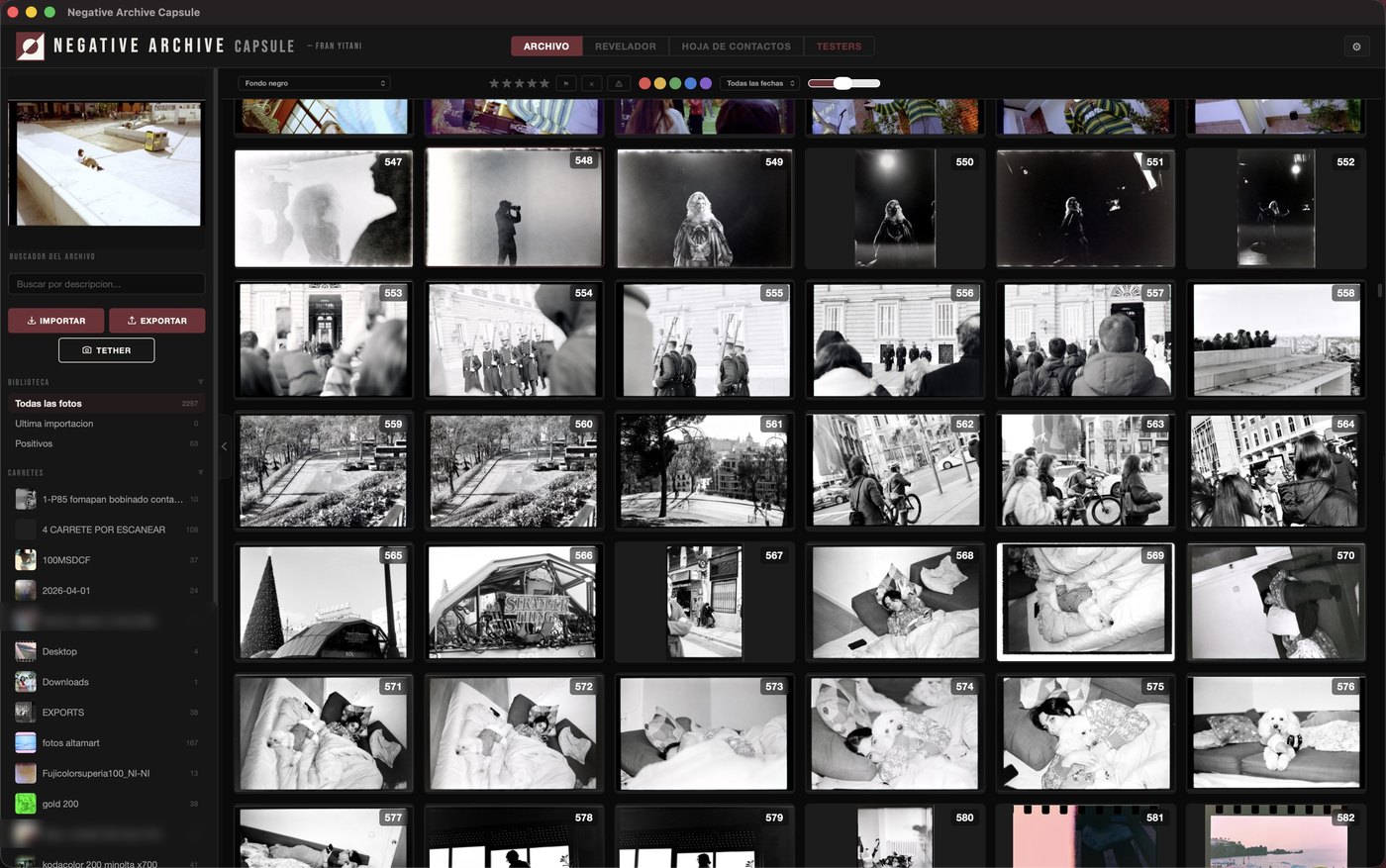
If you work in RAW and want an archive with a catalogue, contact sheets and tethered shooting, the desktop app is the next step: the application I archive, convert and develop my own analogue archive with, using the same engine you have just tried. For Mac.
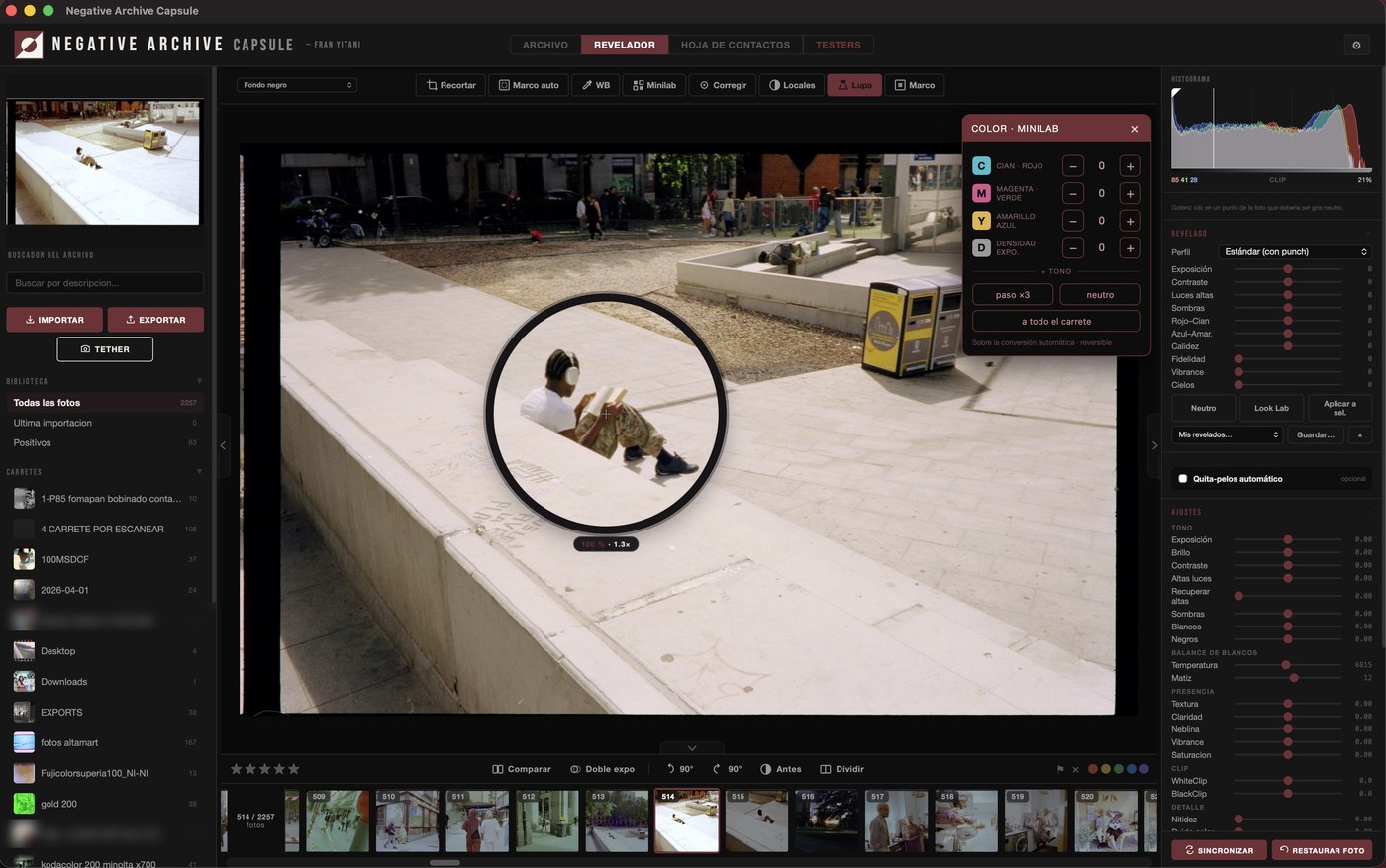
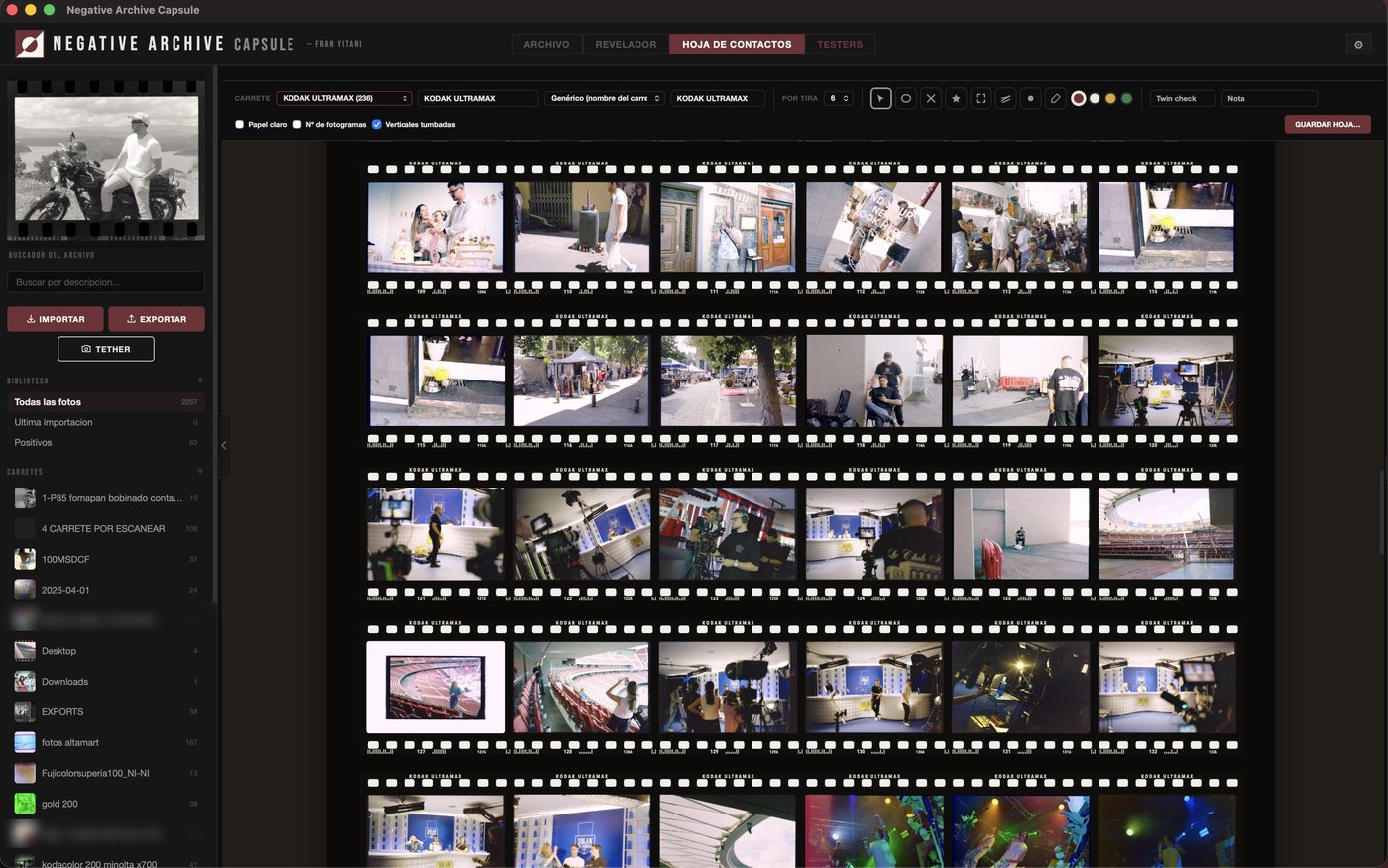
It opens and the first thing you see is your archive, not a blank canvas: the rolls in the sidebar and the photos in a grid. You pick one and go into the darkroom, where you find the minilab —the colour controls that correct the cast the way a lab does—, the loupe for looking at the grain at real size, and the contact sheet for sifting the whole roll with a grease pencil, just like on paper.
Perpetual licence for one Mac, with a year of updates. The download includes 14 days of trial without a licence, everything active.
Mac with Apple silicon (M1 or later) and macOS 12.1 or later · Terms and licence · Privacy
✓ You are on the list. I will write on launch day, with a founder price.
Just the email, just for that one message, unsubscribe in one click. Privacy.


No. The whole development happens inside your browser: the file is opened on your machine, converted on your machine and saved on your machine. There is no image server, no account and no copy. Close the tab and nothing remains. And you can check it yourself: open your browser's developer tools (F12, or ⌥⌘I on a Mac), go to the “Network” tab and drop a negative. At most you'll see your key being checked and the visit counter: two tiny requests with no image in them. On top of that, the page's security policy (CSP) only lets it talk to this domain and to those own services: it is the browser itself that prevents your photos from being sent anywhere else.
With even light behind it (a tablet showing a white screen works), in focus, free of reflections and as flat as possible. And one detail that decides the result: set the white balance on the orange base of the negative, using your camera’s custom white balance pointed at the film rebate. That is the difference between a clean positive and one that drifts magenta.
The long guides: How to photograph negatives with a camera, White balance on the orange base and Digitise a roll at home without a scanner.
It depends how expired it is, and that is in the negative, not in the converter. Film loses density and its colour layers drift with age, with heat and with airport X-rays: a roll from 1998 in a drawer does not have the colour of one developed last month. The converter corrects it as far as the material allows, and from there you have the white balance eyedropper, temperature and tint. What I will not promise you is perfect colour on a negative that no longer has it.
One negative of your own, free: you develop it in full on screen, with every dial. Downloading it —and developing the rest of the roll— takes a package. You open it, move the dials, use the minilab and the eyedropper, and see it on your own material rather than on a photo of mine. The sample photo, besides, is there with no limit.
What exactly the engine does and what it does not ask of you is told in Convert negatives without installing anything.
The development is the same. NAC on the desktop also opens RAW without going through JPEG, finds the frame on its own, keeps a catalogue with tags and search, removes dust, allows local masks and curves, builds contact sheets and shoots tethered. This is the front door; that is the whole lab.
JPEG and PNG. If the lab gave you the scans as TIFF, export them to JPEG and drop them here. iPhone HEIC files only open in Safari; in any other browser, export them to JPEG from Photos. The desktop app opens TIFF and RAW without converting.
Not for now. Negative Archive Capsule Lite inverts negatives: a slide is already positive, and what it needs is an adjustment, not an inversion. If you drop one here, the result won't make sense. The desktop app does tell a negative from a slide.
Yes: the darkroom doesn't know about formats, it knows about negatives. 135, 120, 4×5… in colour (C-41) and in black and white. What decides the result is not the format but the photograph of the negative: even light, flat, in focus, and with the white balance set on the orange base.
The developer does not: it opens on a tablet or a computer. It's measured, not a whim: on a phone the working photo is left with a quarter of the area it needs, and the controls fall below the size of a finger. On a tablet it works perfectly, with even more room than on a small laptop, with one detail: on iPad, Safari caps the export at 16 megapixels; on a computer it comes out at the full size of your file. The rest of the site does work on a phone: you can read it all and buy without trouble, as the key works in any browser.
When you buy, you get a key by email. Paste it into the activation page and it stays saved in that browser. If you switch browser or machine, just paste it again as many times as you need. If anything goes wrong, write to me and we will sort it out.
Write to me and I answer you myself. No form, no ticket, no bot.
hello@franyitani.comPurchases and refunds are handled by Gumroad, Inc.; the darkroom and your key are on me.